Start 1 / 5
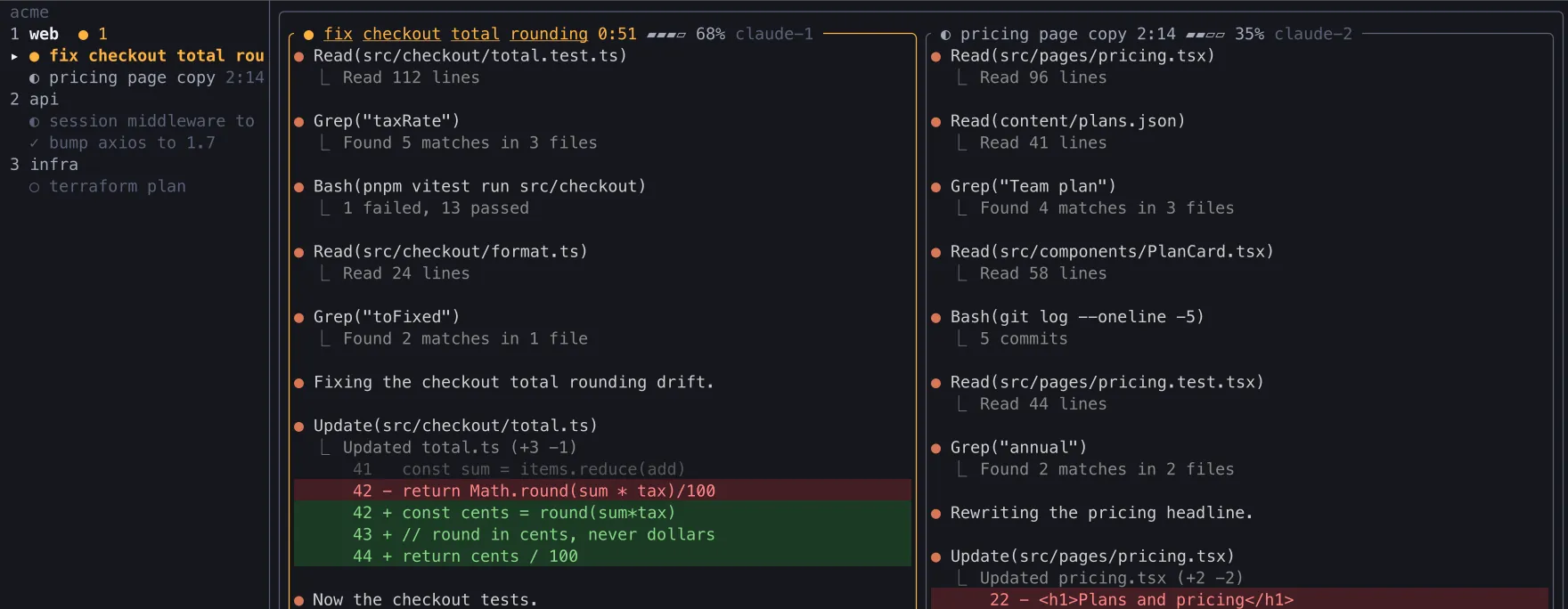
Point it at a folder.
Press n, or run claude-garage <folder>. A fresh Claude Code session opens in its own tile, grouped under its project.
Your first wall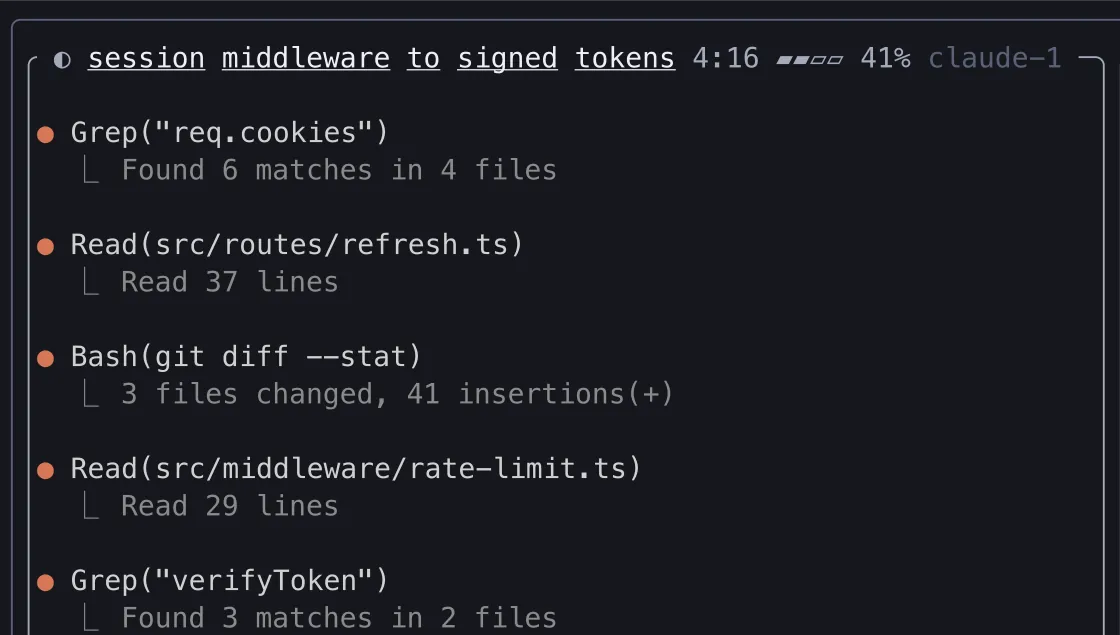
$ claude-garage ~/acmenNew sessionpick a folder
Amber means a session needs you
One calm wall shows which one needs you. Jump to it with one key, and never lose a session when the terminal closes.
Local only: no account, no telemetry. Needs tmux 3.2+ and Claude Code. macOS and Linux, Windows in preview. MIT. Install guide
claude-garage is a free, open-source terminal app (MIT license) that shows all your Claude Code sessions on one wall, grouped by project. Sessions run in tmux, so they survive closing the terminal. The session waiting for your answer turns amber; press a to jump to it. It runs on macOS and Linux, with a Windows preview. Made by Saiful Islam (Adar).
Press n, or run claude-garage <folder>. A fresh Claude Code session opens in its own tile, grouped under its project.
Your first wall$ claude-garage ~/acmeEach tile is a live Claude Code session. The sidebar groups them by folder, and the status strip keeps your 5h and weekly usage in view.
Run many sessions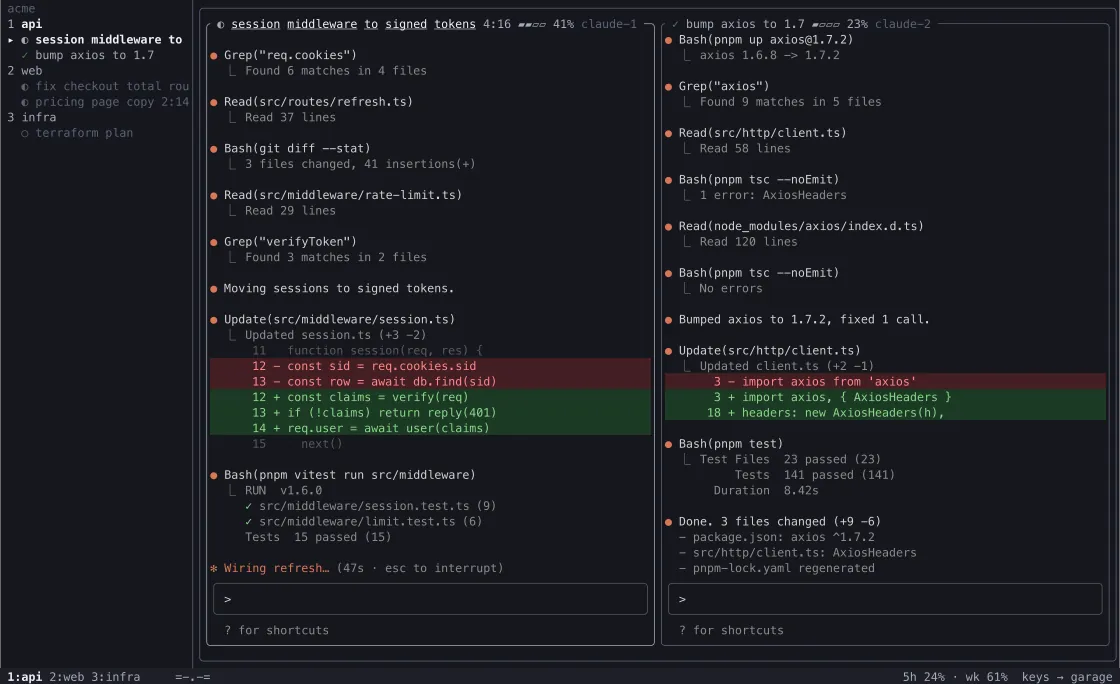
5h 24% · wk 61%The waiting tile turns amber, a chime plays, and a desktop banner shows Claude's question, even when you are in another app. No tab hunting.
How the amber signal works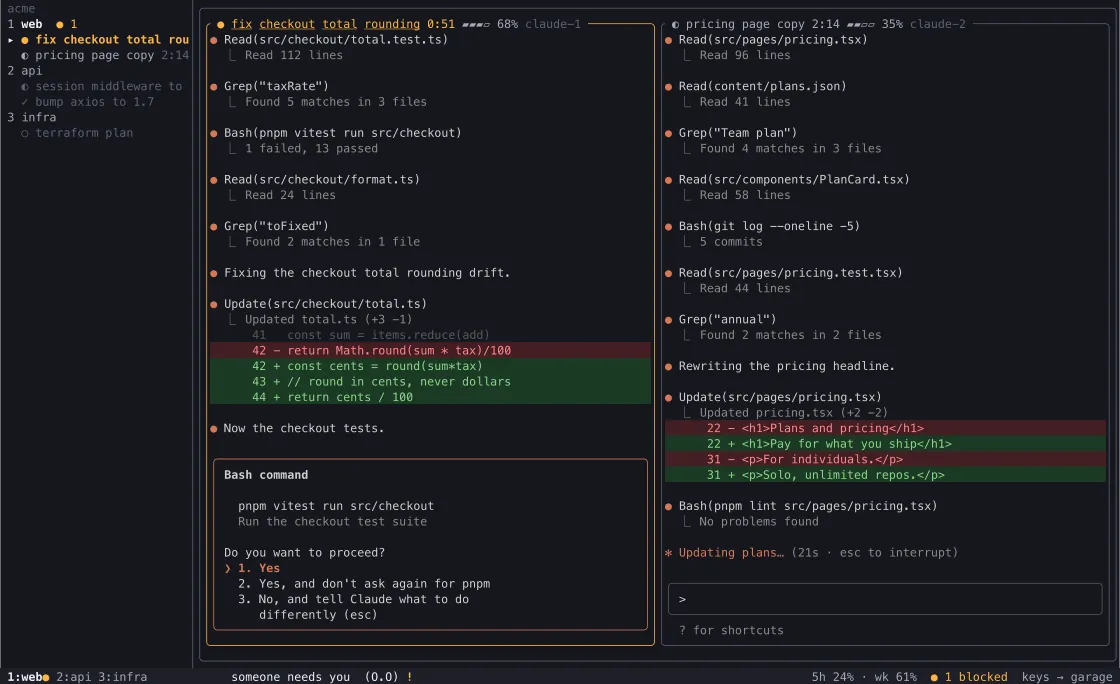
One key jumps to the session that is blocked, right at its prompt. Pick 1. Yes or tell Claude what to do instead, then carry on.
Jump with a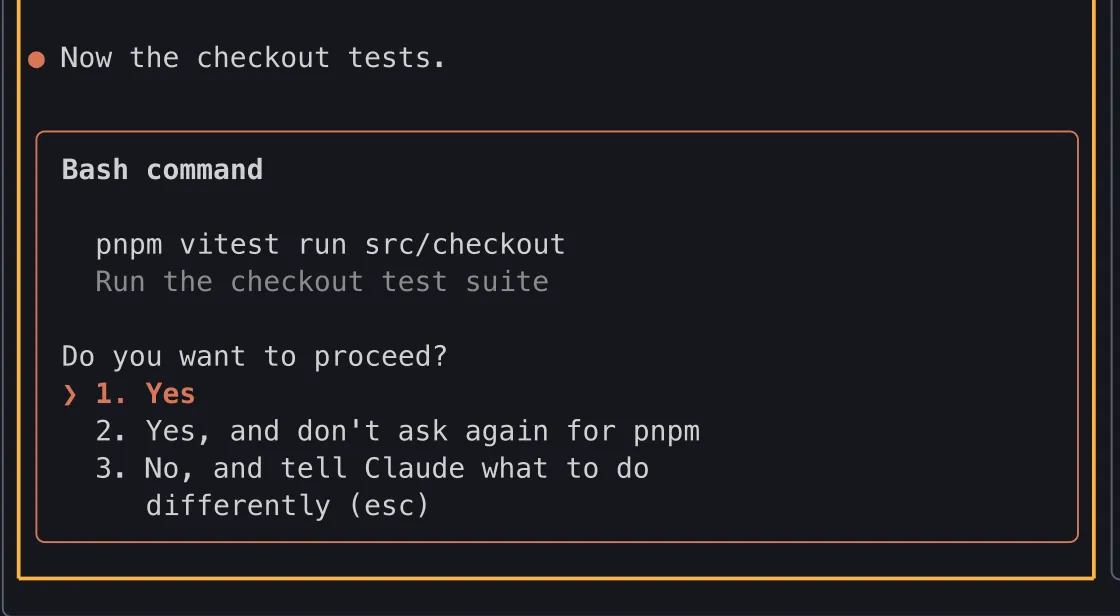
keys → web/claude-1Quit the wall and they keep running. Closed or crashed chats stay in the sidebar; press r r to restart and resume the conversation.
Close and come back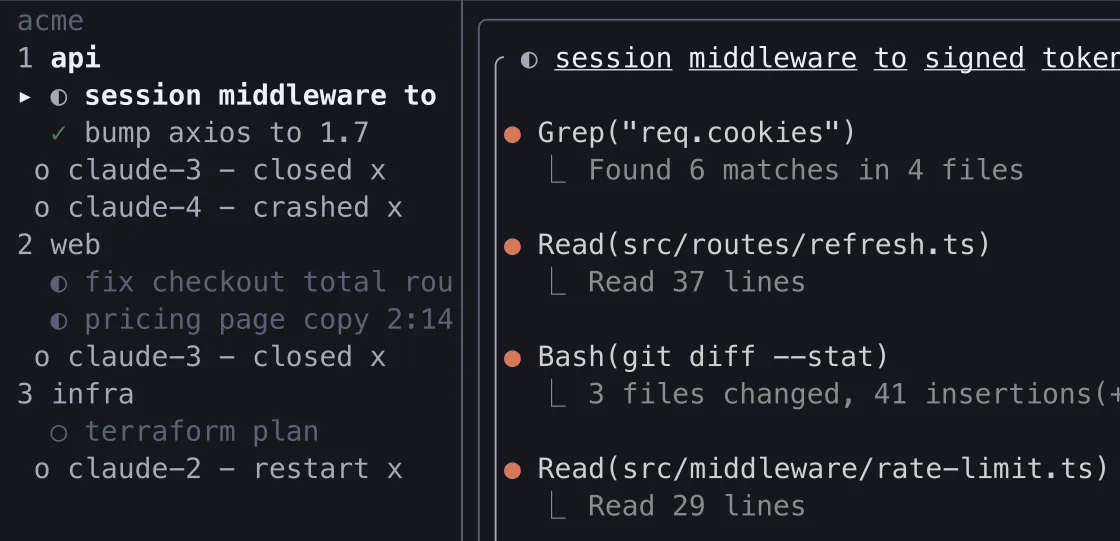
Plugins are small, switchable add-ons that tune the wall to how you work. The crops below are the real thing. Read the plugin guide or build your first plugin.
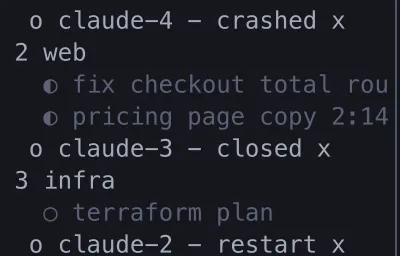
Closed sessions stay in the rail. Click one to bring it back.

Close and delete buttons in each tile title.

Your 5 hour and weekly limits in the status strip.

A tiny pet in the status strip. It wakes when a session needs you.
A chime when a session needs you or finishes a long turn, and a desktop banner when garage is out of view.
s sends a line to one session, S to every session in the project.
Press / to jump to any session.
Marks where each Claude turn ended, right in the tile.
Removes a project after you close its last session. Off by default.
Adds claude-garage <folder>, open, install and prune to your shell.
A plugin can never confirm a dangerous action. You do. How the rule works, and the plugin security model.
Press ? in the wall for every key, or read the full key reference.
claude-garage runs Claude Code only, on tmux, and is built for the moment one session waits for you. Other tools cover more agents, more machines or a full desktop app. Each comparison says when the other option is the better pick. The author of claude-garage wrote them, and says so.
Try it with npx, or install the binary. Pick your shell. Full steps, troubleshooting and uninstall are in the install guide.
Built by one developer. MIT, no telemetry. A star helps other Claude Code users find it.